🚀 Microsoft Windows 11 & AI Agents: What You Need to Know
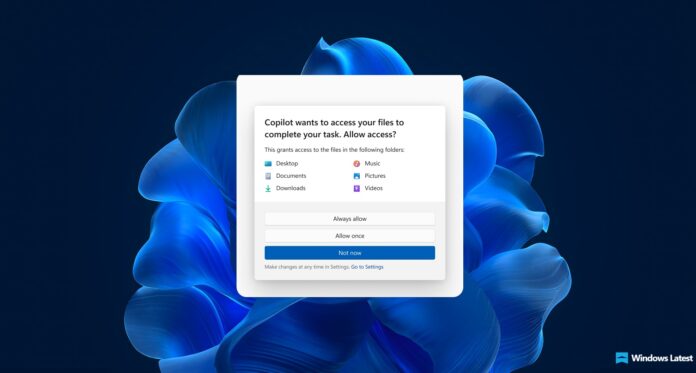
Microsoft has confirmed that AI Agents in Windows 11 will require your consent before accessing files in six known folders:
- Desktop
- Documents
- Downloads
- Music
- Pictures
- Videos
This update addresses concerns about Microsoft’s deeper integration of AI and the associated security risks. The key takeaways include:
- AI agents cannot access personal files by default without explicit permission.
- Users can customize access for each agent, controlling their permissions effectively.
- Options include “Always allow,” “Ask every time,” or “Never allow” for folder access.
- New Settings pages allow granular control over AI interaction with your files and apps.
While this is a step forward in transparency, resolve security concerns remain. Learn how to manage your AI Agents today!
👉 Share your thoughts and experiences in the comments below!
