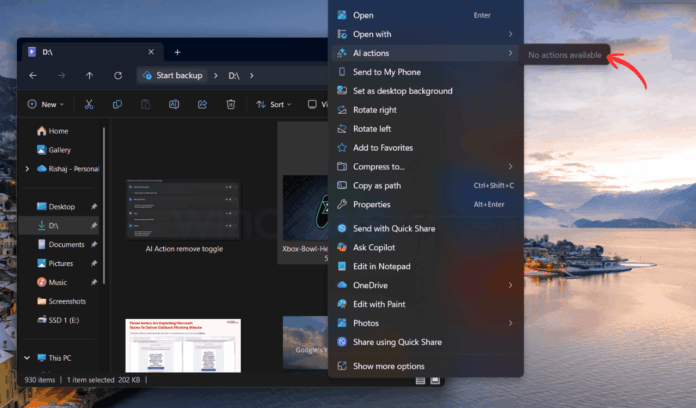
Microsoft faces criticism for integrating AI into Windows 11, but a recent update (Dev and Beta build 26220.7344) addresses user concerns. In this build, AI Actions in the right-click context menu will only appear if they are detected, allowing users to hide unwanted options. Users can easily manage AI-related actions by navigating to Settings > Apps > Actions and toggling off apps like Paint and Teams.
Despite this improvement, the “AI Actions” label remains visible in the context menu, cluttering the interface. Many users argue these AI Actions primarily duplicate existing functionalities, adding minimal value. However, this update signifies Microsoft’s willingness to respond to user feedback.
Additionally, the company plans to revamp the right-click menu for a more organized experience, alongside a significant visual refresh of the Run dialog, marking a much-needed evolution after 30 years. This shift represents Microsoft’s effort to enhance user experience in Windows 11.
Source link
