Google’s Gemini AI touches nearly all its major apps and services, enhancing productivity through features like content analysis in Google Docs and image creation in Google Slides. However, users may find the persistent prompts to use Gemini off-putting. Fortunately, you can disable Gemini across various Google platforms.
To disable Gemini in Google Workspace apps like Gmail and Google Drive:
- Go to Google Drive, click the gear icon for Settings.
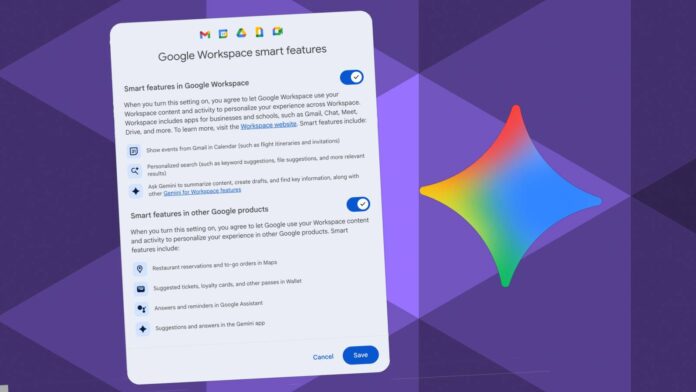
- Navigate to Privacy > Manage Workspace smart feature settings.
- Toggle off both “Smart features in Google Workspace” and “Smart features in other Google products.”
For Chrome:
- Open Chrome, click the three-dot menu, and go to Settings.
- Select AI innovations and toggle off History search and Help me write.
In Google Photos:
- Open the app, tap your profile picture, go to Settings > Preferences.
- Disable Gemini features.
Disabling these keeps your apps functional while minimizing AI interactions.
