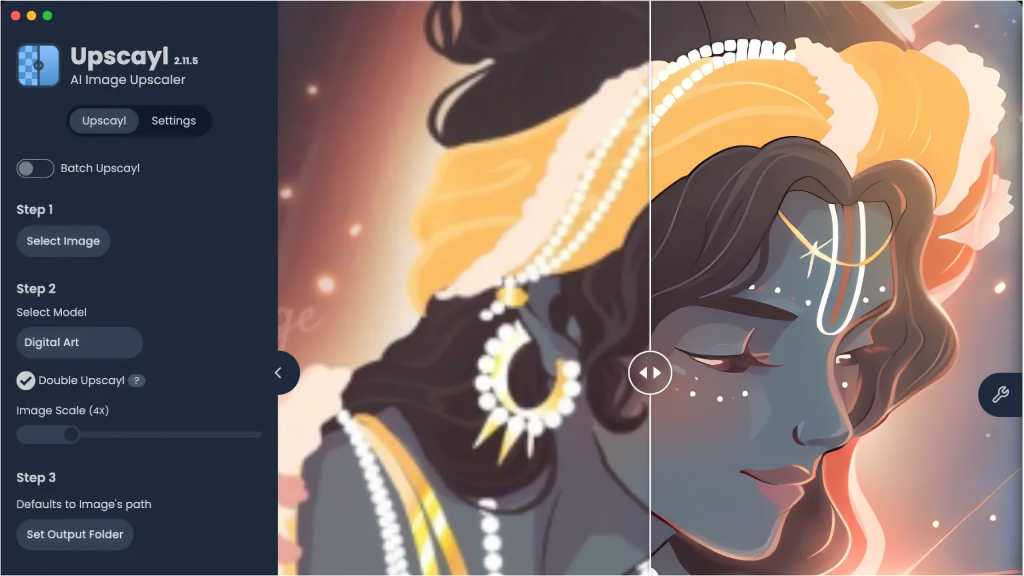
Enhance Your Images with Upscayl: An Ultimate Guide
Upscayl leverages advanced AI models, including Real-Esgran and Vulkan architecture, to upscale and enhance images without unsightly artefacts. This tool is ideal for improving slightly blurred or low-resolution photos by generating potential details, and it supports various image types, from digital art to medical images.
To use Upscayl, ensure your GPU is Vulkan-compatible, which most modern graphics cards are. Installation is available for Windows, Linux, and Mac with easy setup options. The user-friendly interface lets you drag and drop images for processing.
Various AI models cater to different needs, such as “Upscayl Standard” for general use, “High Fidelity” for realistic detail, and “Digital Art” for illustrations. With batch processing capabilities, you can upscale multiple images simultaneously, achieving enlargements of up to 16 times their original size.
Try different AI models to find the best results and experience enhanced image quality like never before!





